# Site-to-Site OpenVPN with routes
## Install
[https://github.com/angristan/openvpn-install](https://github.com/angristan/openvpn-install)
First, get the script and make it executable :
```
curl -O https://raw.githubusercontent.com/Angristan/openvpn-install/master/openvpn-install.sh
chmod +x openvpn-install.sh
```
Then run it :
```
./openvpn-install.sh
```
Make 2 clients, one called **client01** and the other called **client02**
Then edit server conf and add belllow:
/etc/openvpn/server.conf
```
client-config-dir /etc/openvpn/ccd
push "route 192.168.2.0 255.255.255.0"
route 192.168.2.0 255.255.255.0 10.8.0.2
client-to-client
```
/etc/openvpn/ccd/client01
```
iroute 192.168.2.0 255.255.255.0
```
/etc/openvpn/ccd/client02
```
iroute 10.1.2.0 255.255.255.0
```
### Pfsense Example
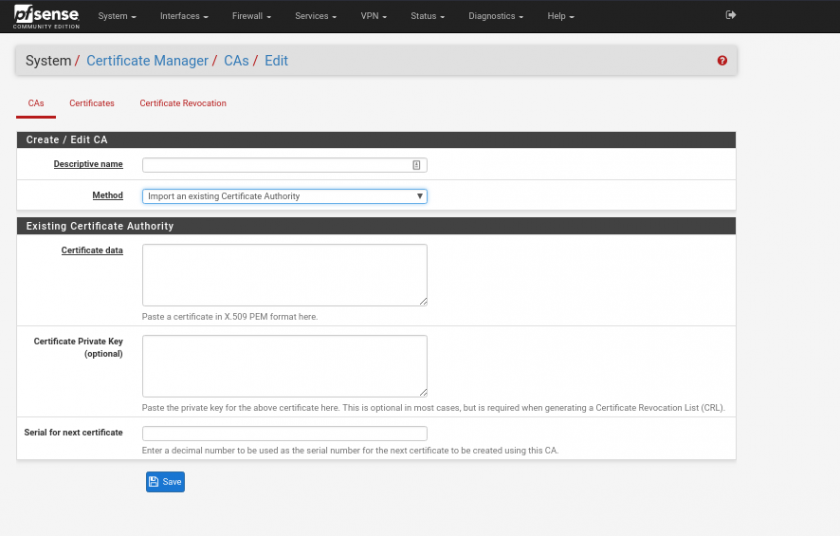
import cert
[](https://wiki.myhypervisor.ca/uploads/images/gallery/2019-02-Feb/2019-02-09_23-10_1.png)
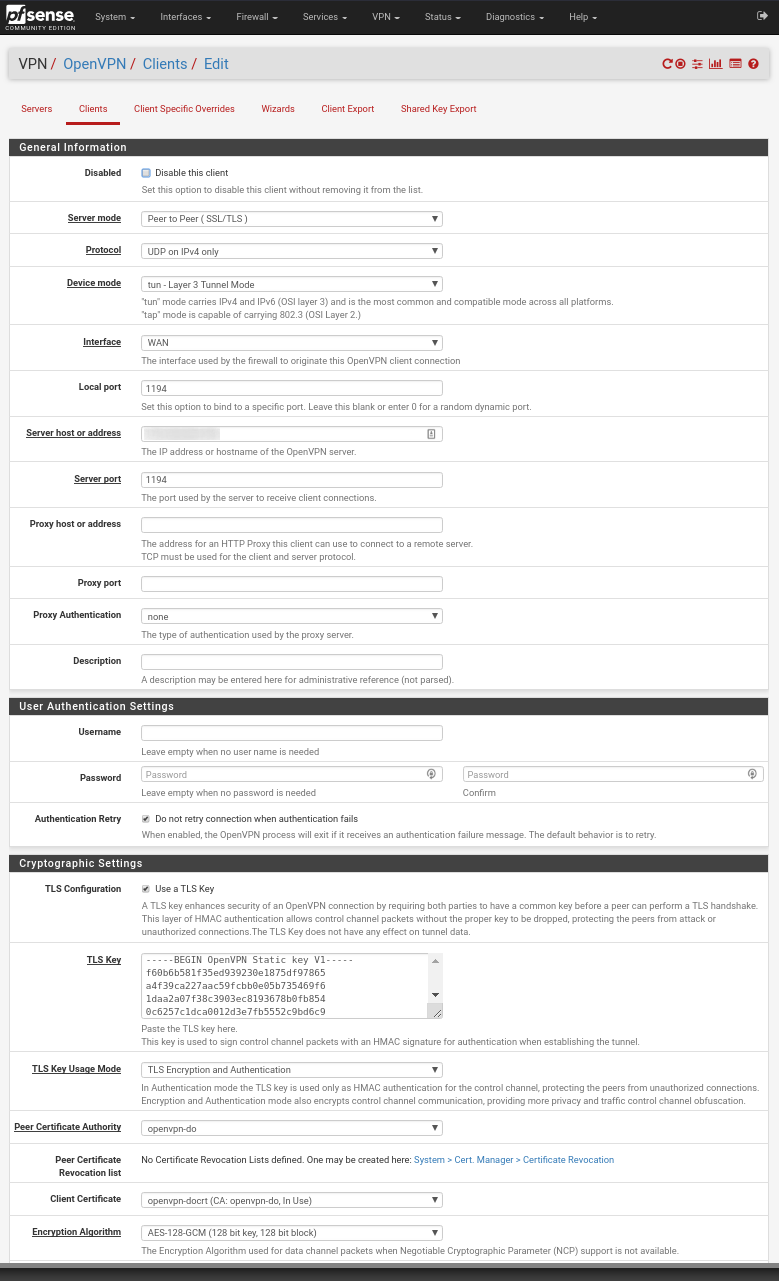
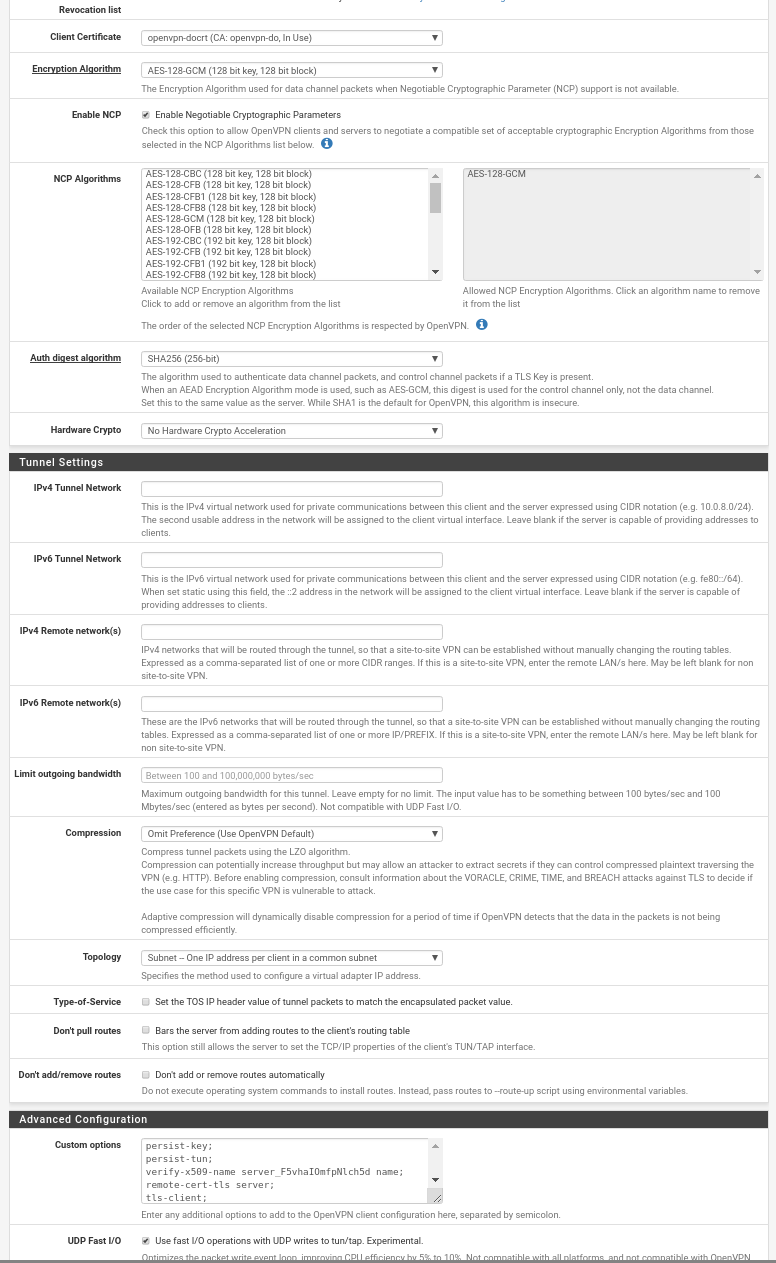
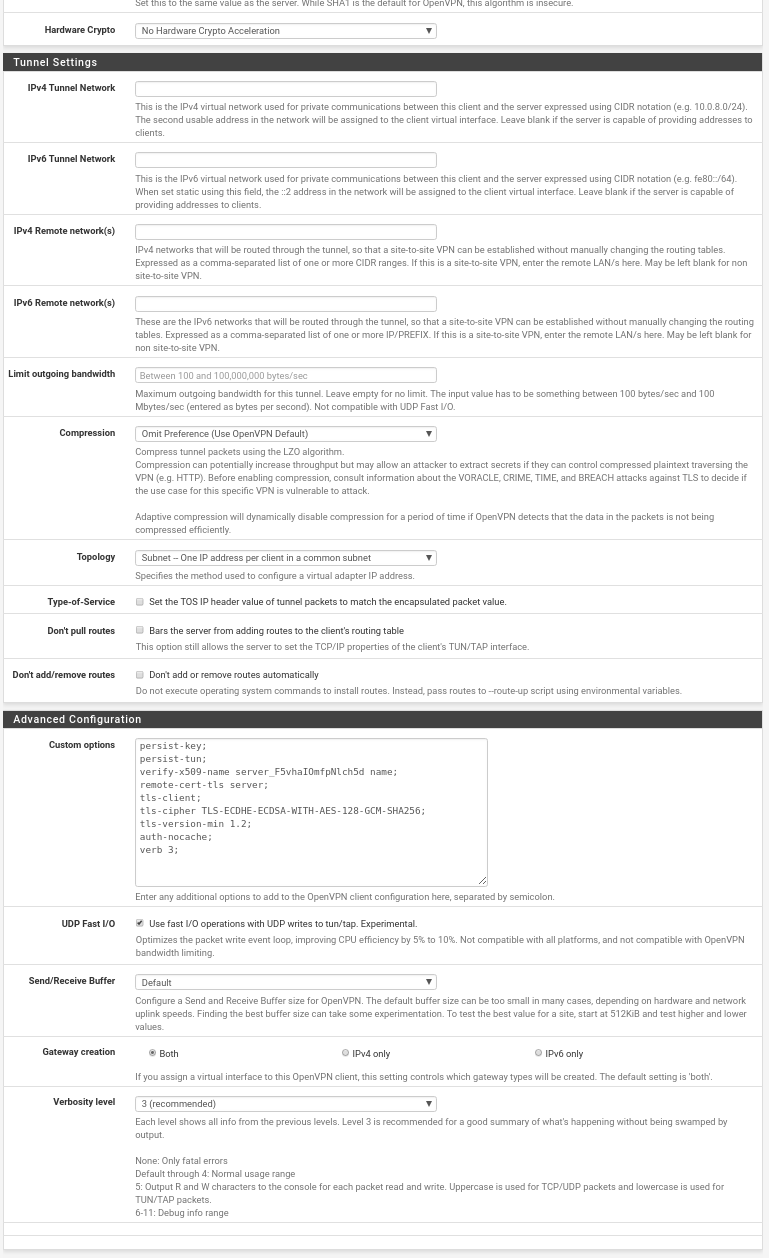
Add Client
[](https://wiki.myhypervisor.ca/uploads/images/gallery/2019-02-Feb/2019-02-09_23-09.png)
[](https://wiki.myhypervisor.ca/uploads/images/gallery/2019-02-Feb/2019-02-09_23-09_1.png)
[](https://wiki.myhypervisor.ca/uploads/images/gallery/2019-02-Feb/2019-02-09_23-10.png)