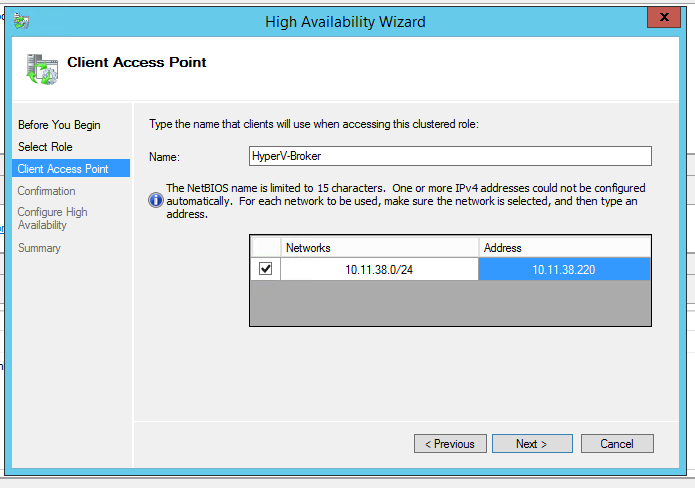
Fill in the information (Choose an available IP from his subnet)
[](https://wiki.myhypervisor.ca/uploads/images/gallery/2018-08-Aug/configrole2.PNG)
**Create SSL cert via Powershell**
For this, you will need to download Windows SDK and install
[https://msdn.microsoft.com/library/windows/desktop/aa386968.aspx](https://msdn.microsoft.com/library/windows/desktop/aa386968.aspx)
#### Create the ROOT certificate
#### Create SSL with the hostname of DR
```
& "C:\Program Files\Microsoft SDKs\Windows\v7.1\Bin\x64\makecert.exe" -pe -n “CN=dr.domain.com” -ss my -sr LocalMachine -sky exchange -eku "1.3.6.1.5.5.7.3.1,1.3.6.1.5.5.7.3.2" -in “primaryRootCA” -is root -ir LocalMachine -sp “Microsoft RSA SChannel Cryptographic Provider” -sy 12 replicaCert.cer
```
#### Create SSL with the name of the Hyper-V Replica Broker you created
Note, if you are in an AD, you will need to add the full FQDN of the broker
```
& "C:\Program Files\Microsoft SDKs\Windows\v7.1\Bin\x64\makecert.exe" -pe -n “CN=HyperV-Broker.domain.com” -ss my -sr LocalMachine -sky exchange -eku "1.3.6.1.5.5.7.3.1,1.3.6.1.5.5.7.3.2" -in “primaryRootCA” -is root -ir LocalMachine -sp “Microsoft RSA SChannel Cryptographic Provider” -sy 12 primaryCert.cer
```
### On all hosts (nodes and DR) disable SSL revocation
```
reg add "HKLM\SOFTWARE\Microsoft\Windows NT\CurrentVersion\Virtualization\Replication" /v DisableCertRevocationCheck /d 1 /t REG_DWORD /f
```
# **Exporting the SSL**
Open Certificate MMC console (simply search for certificate and click on "Manage Computer Certificates")
Under personal, click certificates
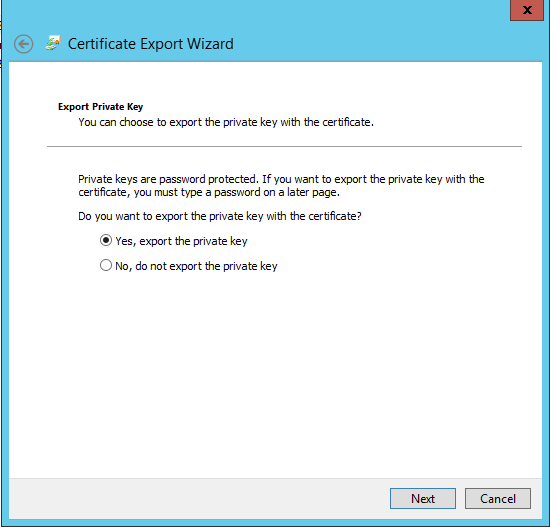
Right click ethe DR certificate -> all task -> export
[](https://wiki.myhypervisor.ca/uploads/images/gallery/2018-08-Aug/export-ssl-with-private-key1.PNG)
Click Next -> Select "Yes, export the private key"
Click Next -> Select "Password" and enter any password
Click Next -> Select where to save the certificate
# **Import the SSL ceritificate**
The following steps have to be performed on the DR
Open Certificate MMC console with the snap-in to manage certs
Right click "Personal" -> Select "All Task" -> Select "Import"
Click Next (Local Machine) -> Browse the Certificate and import
Enter the password used during the export
Click Next -> Select "Place all certificates in the following store"
Click Next -> Click Finish
Once done, move the Root Certificate under "Certificates" of "Trusted Root Certificate Authorities"
# **Configure the Replication Role in Hyper-V**
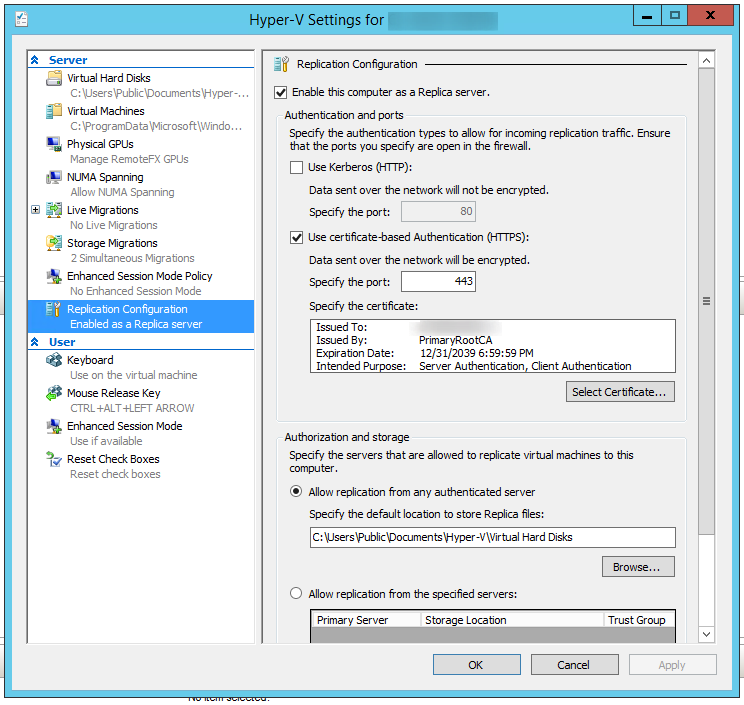
In Hyper-V, right click the server -> Click on "Hyper-V Settings"
Select the "Replication Configuration" tab
Click "Enable this computer as Replica Server" -> Click "Use certificate-based authentication (HTTPS)" -> Select the Certificate
Under "Authorization and storage" -> Select "Allow replication from any authenticated server" with default value (C:\\Users\\Public\\Documents\\Hyper-V\\Virtual Hard Disks)
[](https://wiki.myhypervisor.ca/uploads/images/gallery/2018-08-Aug/screenshot_4.png)
# Enabling Replication for VM
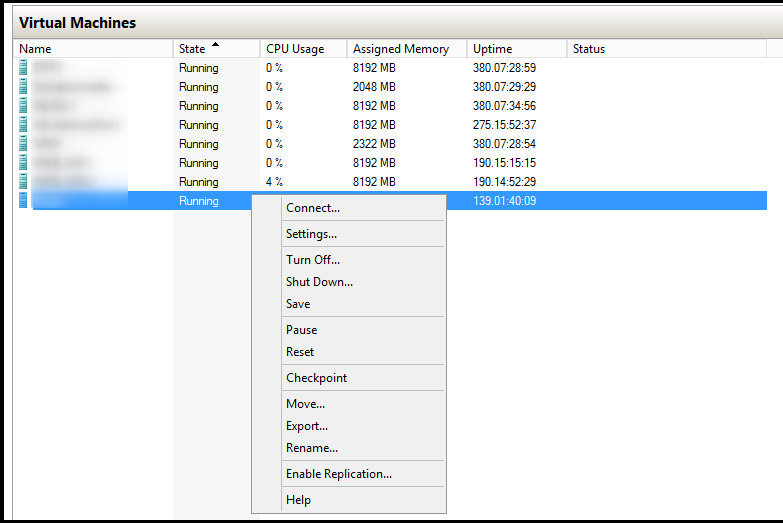
Right click on the VM and select "Enable Replication"
[](https://wiki.myhypervisor.ca/uploads/images/gallery/2018-08-Aug/htAscreenshot_3.png)
Click Next -> Enter the hostname (that we put in the host file earlier)
Once it loads (can take a minute or 2), same thing as with the DR, select "Use certificate-based authentication (HTTPS)" and
select the certificate (make sure "Compress the data that is transmitted over the network"
Keep clicking next a select the options you want for the replication
## Server 2016
Server 2016 is the same concept but you will need to create a cert for all nodes
**Create root CA**
```
New-SelfSignedCertificate `
-DnsName “HyperVReplicationRootCA” `
-CertStoreLocation Cert:\LocalMachine\My `
-KeyLength “4096" `
-Hash SHA256 `
-KeyFriendlyName “HyperVReplicationRootCA” `
-FriendlyName “HyperVReplicationRootCA” `
-NotAfter “2030-12-31 23:59:59” `
-NotBefore “2018-10-10 00:00:00" `
-KeyUsage CertSign,CRLSign,DigitalSignature
```
**Create node cert ( 1 cert per node)**
```
New-SelfSignedCertificate `
-DnsName Myfqdn.domain.com `
-CertStoreLocation Cert:\LocalMachine\My `
-KeyLength “4096" `
-Hash SHA256 `
-KeyFriendlyName hostname `
-FriendlyName hostname `
-NotBefore “2017-01-01 00:00:00" `
-NotAfter “2030-12-31 23:59:59” `
-Signer ( Get-ChildItem Cert:\LocalMachine\My | Where -Prop Subject -eq "CN=HyperVReplicationRootCA" )
```
Use same command for broker cert and export / import cert on all nodes / dr server as explained above